

Technical Summary
| Product type designation | BU type B0 |
|---|---|
| Product lifecycle | Active Product |
| Terminal type | Push-in terminal |
| AUX terminals | 4 |
| AUX terminals bridged | to the left |
| Number of slots | 1 |
| Current carrying capacity, max. | 10 A |
| Isolation tested with | 3 100 V DC |
Applications
SIMATIC ET 200SP wiring and terminal connection
Used as a BaseUnit for SIMATIC ET 200SP connection with Push-in terminals and AUX terminals.
Key Features
SIMATIC ET 200SP BaseUnit
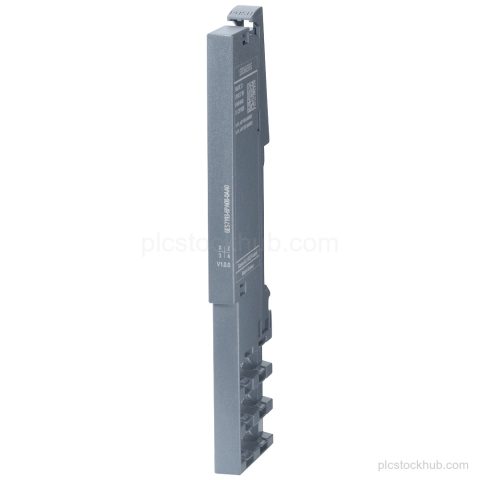
BaseUnit BU20-P12+A4+0B for the SIMATIC ET 200SP family.
BU type B0
Product type designation: BU type B0.
Push-in terminals
Terminal type: Push-in terminal.
4 AUX terminals
Configured with 4 AUX terminals, bridged to the left.
Active Product
Product lifecycle: Active Product.
Frequently Asked Questions
What is Siemens 6ES7193-6BP20-0BB0?
It is a SIMATIC ET 200SP BaseUnit BU20-P12+A4+0B, BU type B0.
What terminal type does 6ES7193-6BP20-0BB0 use?
It uses Push-in terminals.
How many AUX terminals are on 6ES7193-6BP20-0BB0?
It has 4 AUX terminals.
What are the dimensions of 6ES7193-6BP20-0BB0?
Width: 20 mm, height: 117 mm, depth: 35 mm.
What is the lifecycle status of 6ES7193-6BP20-0BB0?
Product lifecycle: Active Product.