

Technical Summary
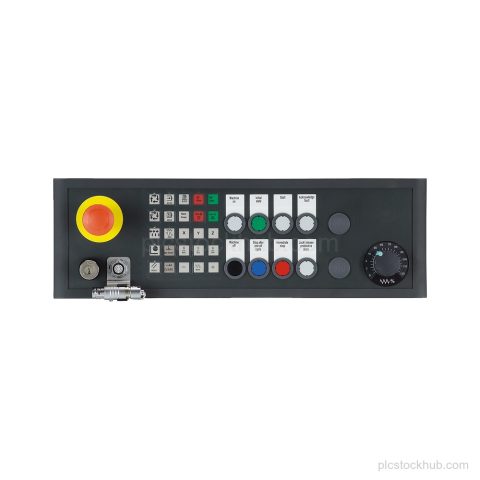
| Product designation | SINUMERIK Push Button Panel MPP 483 IEH-S69 |
|---|---|
| Connection | Industrial Ethernet |
| Connection for | HT 8 |
| Variant | Customer-specific variant based on 6FC5303-1AF10-8AA0 |
| Product lifecycle | Announcement of product phase-out |
Applications
Industrial Ethernet connection for the panel
Supports Industrial Ethernet connection for the push button panel.
Key Features
SINUMERIK Push Button Panel
SINUMERIK Push Button Panel MPP 483 IEH-S69 for exact order number identification.
Industrial Ethernet connection
Configured with connection for Industrial Ethernet.
HT 8 connection
Includes connection for HT 8.
Customer-specific variant
Customer-specific variant based on 6FC5303-1AF10-8AA0.
Product phase-out
Announcement of product phase-out.
Frequently Asked Questions
What is Siemens 6FC5303-1AF12-8CY0?
It is a SINUMERIK Push Button Panel MPP 483 IEH-S69.
Which connections are specified for 6FC5303-1AF12-8CY0?
Industrial Ethernet and connection for HT 8.
What lifecycle status is supplied for 6FC5303-1AF12-8CY0?
Announcement of product phase-out.
Is 6FC5303-1AF12-8CY0 a customer-specific variant?
Yes. It is a customer-specific variant based on 6FC5303-1AF10-8AA0.