
Siemens Product

6ES7193-6BP20-0DC0

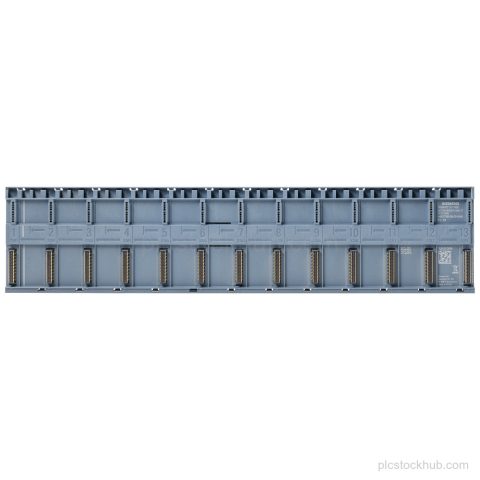
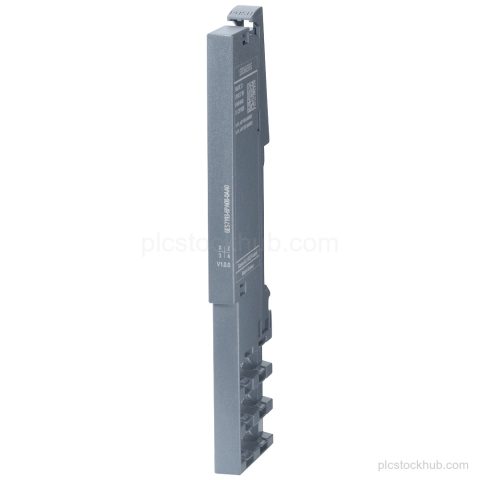
Siemens 6ES7193-6BP20-0DC0 SIMATIC ET 200SP BaseUnit BU20-P6+A2+4D with BU type C0, Push-in terminals, 2 AUX terminals, and new load group. Check stock, quantity, and spare-part details before ordering.

Product Record

6ES7193-6BP20-0DC0

Siemens 6ES7193-6BP20-0DC0 SIMATIC ET 200SP BaseUnit BU20-P6+A2+4D with BU type C0, Push-in terminals, 2 AUX terminals, and new load group. Check stock, quantity, and spare-part details before ordering.

Product 6ES7193-6BP20-0DC0
Supply Status in stock
Product Category ET 200SP Stock & Spares
Quote Terms Confirmed by RFQ
Product Code
6ES7193-6BP20-0DC0
Dimensions
12.4 × 4.2 × 3.4 cm
Weight
0.056 kg
Lifecycle
Active Product
Availability
in stock
Lead Time
Confirmed with quotation

The quotation will state the offered condition, price and estimated lead time for the requested model and quantity.

Technical Content

Product Details

Technical Summary

Product designation SIMATIC ET 200SP, BaseUnit BU20-P6+A2+4D
Order number 6ES7193-6BP20-0DC0
BU type C0
Terminals Push-in terminals
AUX terminals 2 AUX terminals
Load group New load group
Lifecycle Active Product

Applications

SIMATIC ET 200SP station wiring

BaseUnit for wiring a SIMATIC ET 200SP installation.

Key Features

SIMATIC ET 200SP BaseUnit

BaseUnit BU20-P6+A2+4D for the SIMATIC ET 200SP family.

BU type C0

Configured as BU type C0.

Push-in terminals

Uses Push-in terminals.

2 AUX terminals

Includes 2 AUX terminals.

New load group

Configured with a new load group.

Active Product

Product lifecycle: Active Product.

Frequently Asked Questions

What is Siemens 6ES7193-6BP20-0DC0?

It is a SIMATIC ET 200SP BaseUnit BU20-P6+A2+4D.

What terminal type does 6ES7193-6BP20-0DC0 use?

It uses Push-in terminals.

How many AUX terminals are included with 6ES7193-6BP20-0DC0?

It includes 2 AUX terminals.

What are the dimensions of 6ES7193-6BP20-0DC0?

WxH: 20 mmx117 mm.

What is the lifecycle status of 6ES7193-6BP20-0DC0?

Lifecycle: Active Product.
RFQ Details

Request Quote

Send the exact model, required quantity and destination. Add the required condition or technical question in the message.

  • Complete model or MLFB
  • Required quantity and condition
  • Destination and delivery requirement

Product RFQ

Request a Quote